
Only results posted on a MileSplit meet page can be added as performances to an athlete profile.
If a result or mark is missing from an athlete's profile, first check the meet page to see whether the meet host or timer has uploaded the completed results.
Check whether the meet results are posted
- Go to your state's MileSplit calendar.
- For example: Texas MileSplit Calendar
- Find the meet where the athlete earned the performance.
- Open the meet page.
- Check whether the completed results have been posted.
Then follow the appropriate steps below.
Results are posted but missing from the athlete profile
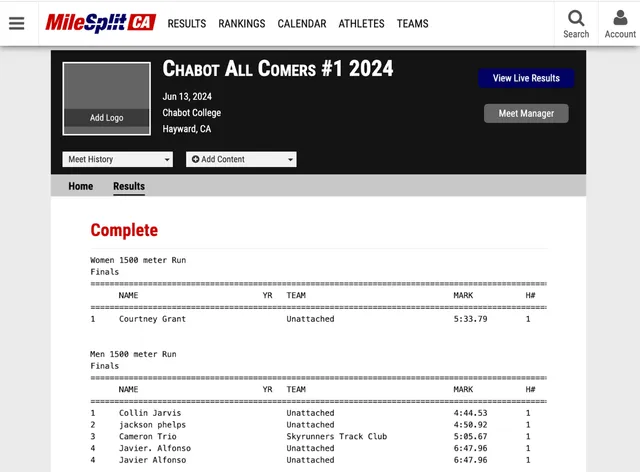
If the completed results appear on the MileSplit meet page but the performance is not linked to the athlete's profile, contact MileSplit Support and request that the results be added to the athlete profile.
Results have not been posted
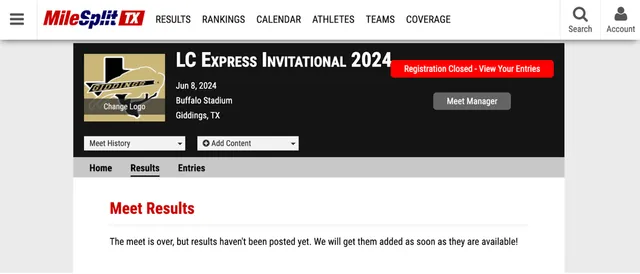
If the completed results are not available on the MileSplit meet page, contact the meet timer or hosting school and ask them to upload the complete meet results.
MileSplit cannot add the performance to an athlete profile until the meet results have been posted on MileSplit.
Relay results
Relay team member names are not processed in results files.
Because individual relay participants are not processed from the results file, relay results cannot be linked to individual MileSplit athlete profiles.