
Use the timer settings in MileSplit Live (MS Live) to select the tie-breaking method for cross country team scoring and create custom names for split points.
Change the tie-breaking method
- Open MS Live.
- Select the Settings tab.
- Find the tie-breaking setting.
- Select the appropriate procedure from the dropdown.
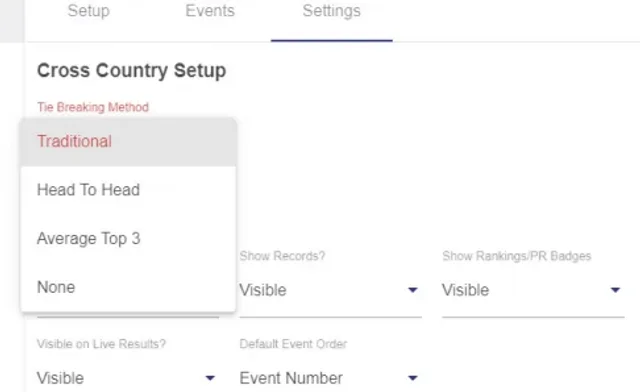
Tie-breaking options
Traditional
The sixth runner from each tied team is used to break the tie.
The team whose sixth runner has the lower score wins the tie-breaker.
Head to Head
The first five runners from each tied team are compared against each other.
The team that wins the most head-to-head matchups, at least three out of five, wins the tie-breaker.
Average of Top 3
The scores of each team's top three runners are compared.
The team with the lower score wins the tie-breaker.
None
No tie-breaking procedure is applied. Ties remain unchanged.
Create custom names for split points
After your events have loaded in MS Live:
- Select the Events tab.
- Find the event you want to configure.
- Use the dropdown to select the number of split points for that event.
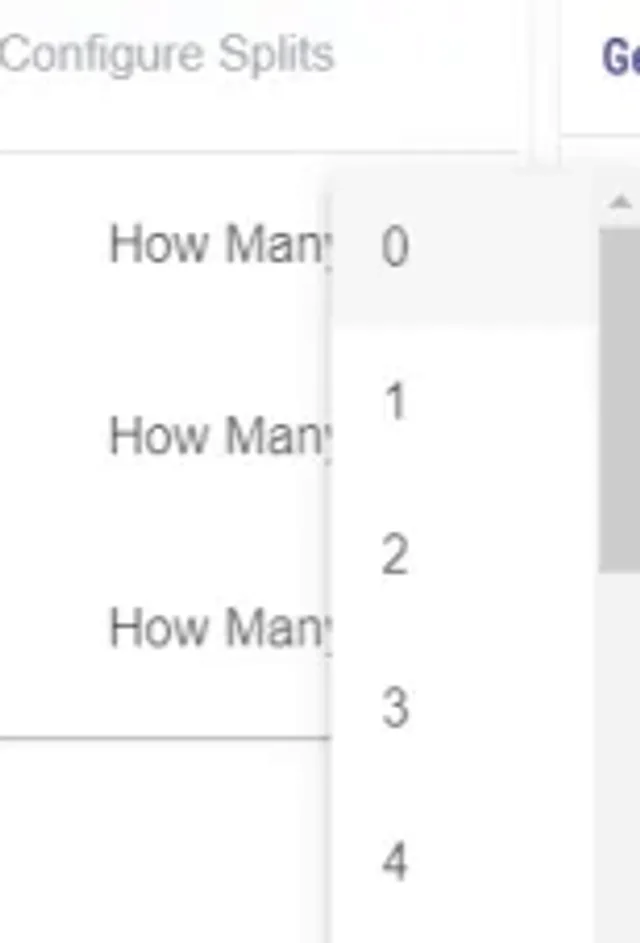
- Enter a custom name for each split point in the available text box.
- Select Close when finished.
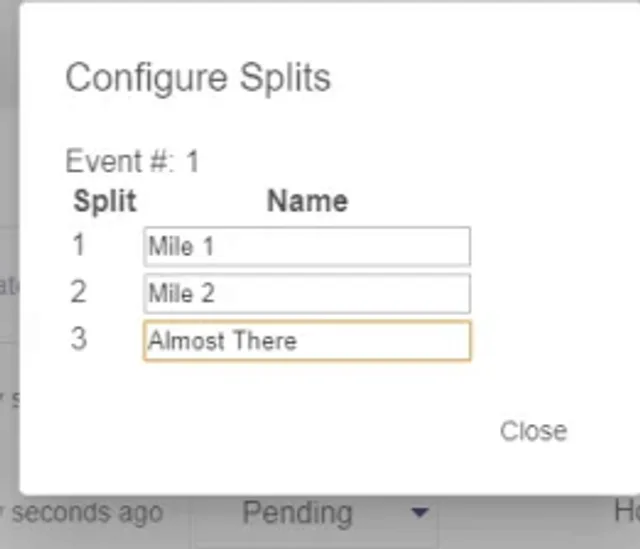
Your custom split-point names will remain saved for that meet unless you replace them with different names.